Homelab
Network Segmentation
September 14, 2026The Problem
- After some research, I learned that you don't actually want certain parts of your homelab on the same network as your home network.
- In my case, since I am building a home SOC lab, it would mean that eventually I will need to run an attack tool called "Kali" that intentionally scans and attacks other VMs on that network.
- So what that meant was that traffic needed to live on its own separate network that would never reach my home devices like my laptop, phone, smart TV, basically anything on the actual LAN.
- This I learned is called "Network Segmentation" and is crucial to ensuring the isolation of traffic.
What a Bridge Actually Is
- There is a feature in Proxmox that allows you to create virtual switches called "bridges." Despite the name, a bridge doesn't automatically connect two networks together; whether it does depends on whether anything physical is wired to it.
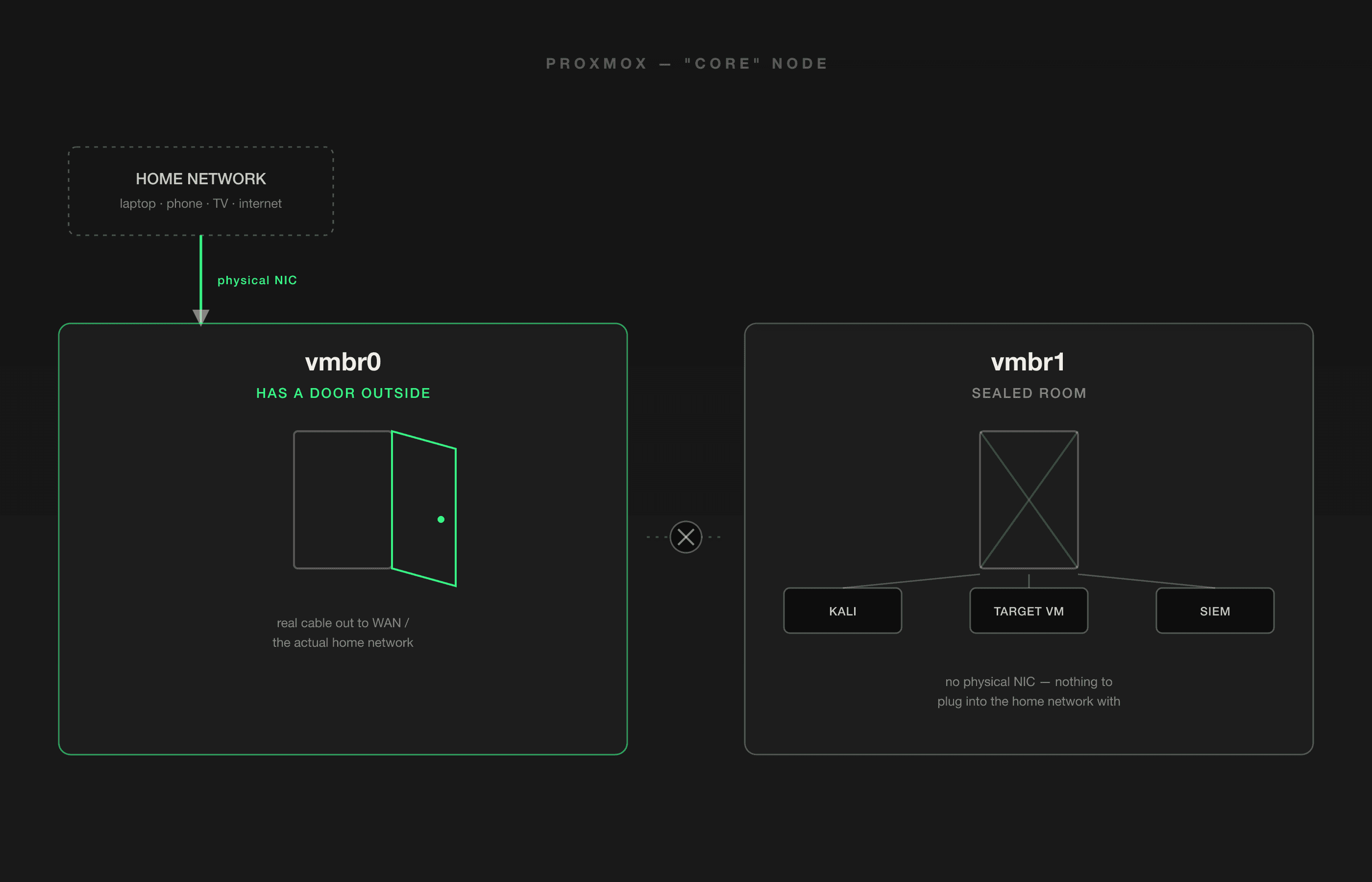
- So currently on my first node, or "core" node, I have two bridges:
- vmbr0 has the actual physical NIC of the "core" server attached to it, and it is the bridge with a real physical cable that wires out to the home network/internet.
- vmbr1 has no physical NIC attached; the only things connected to it are the virtual NICs from the VMs plugged into it, and since it will run a few VMs on this bridge, each VM will have its own virtual NIC, meaning they can communicate and talk with each other.
The Design Decision
- So why do this?
- The thinking behind it was so that the lab/attack VMs like Kali Linux would go on vmbr1 (doesn't touch the home network) so it would be its own isolated network.
- This would ensure the safety of my LAN because there is no possible way for there even to be an accident if there is no physical uplink that exists in the first place. It simply can't reach my network because there is no connection to it in the first place. It's isolated.
Closing Thoughts
Aside from the technical aspect of this part, learning about virtual switches, virtual NICs, isolation, etc., it seems to me that the real lesson in this is about security, and that one of the ways to ensure security is through isolation. In this case we isolated a network that would cause trouble to my LAN if allowed to cross that path.
I can see how in a business setting this would be absolutely crucial to ensure that a problem is isolated on its own network (or VLAN?) so that it doesn't run the risk of having access to other crucial company data.